New-company alerts
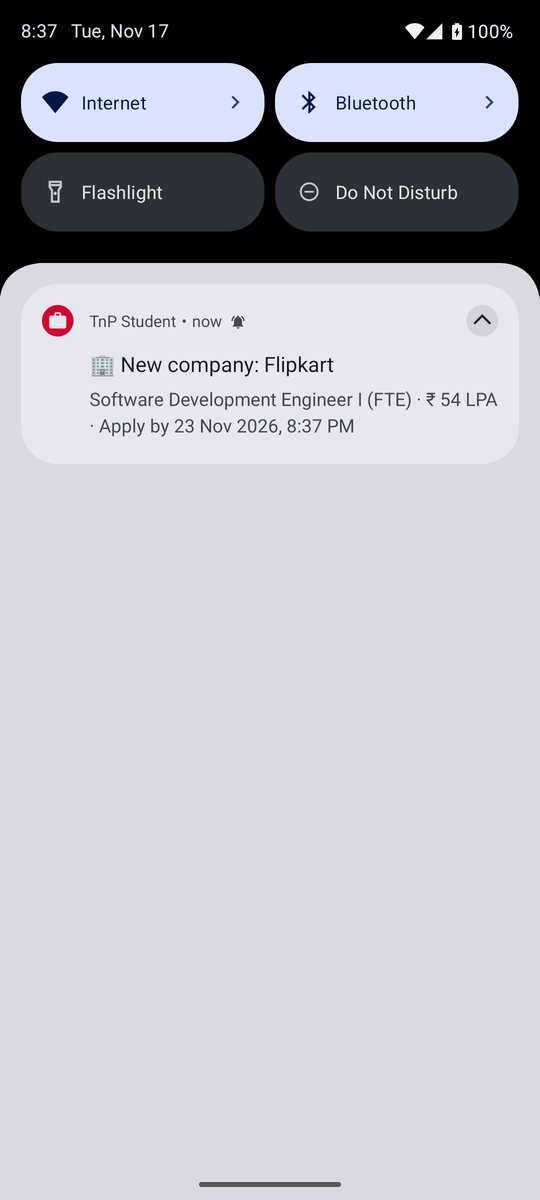
A distinct chime the moment TnP lists a company or role — company, package and deadline right in the notification.
Free · Open source · Android
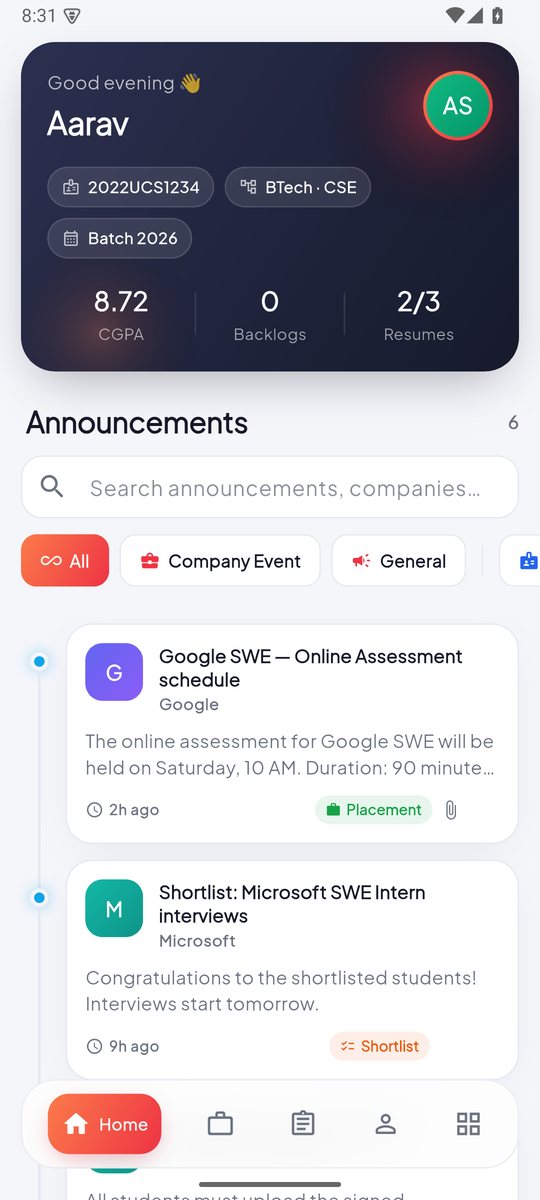
TnP Student puts the NSUT placement portal in your pocket — a chime the second a new company is listed, one-tap apply with an eligibility check, announcements, CGPA, resumes and your hall card.
Scan with your phone camera to download straight to Android.
Features
Same account as student.tnpnsut.in — just faster, cleaner and with alerts that actually reach you.
A distinct chime the moment TnP lists a company or role — company, package and deadline right in the notification.
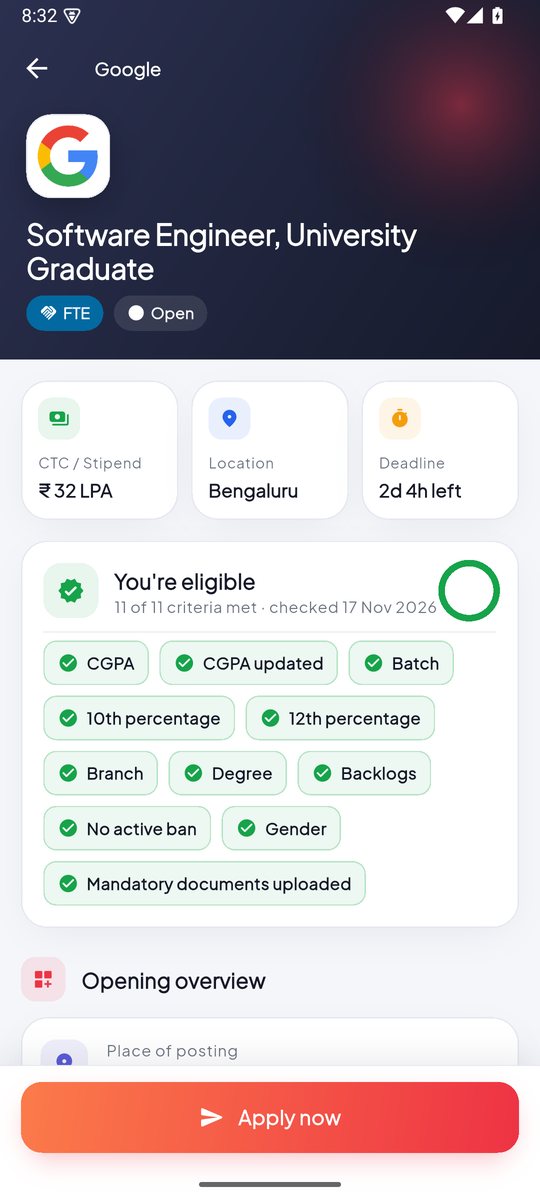
See every eligibility criterion at a glance, pick a resume, answer the company's questions, done. Withdraw anytime before the deadline.
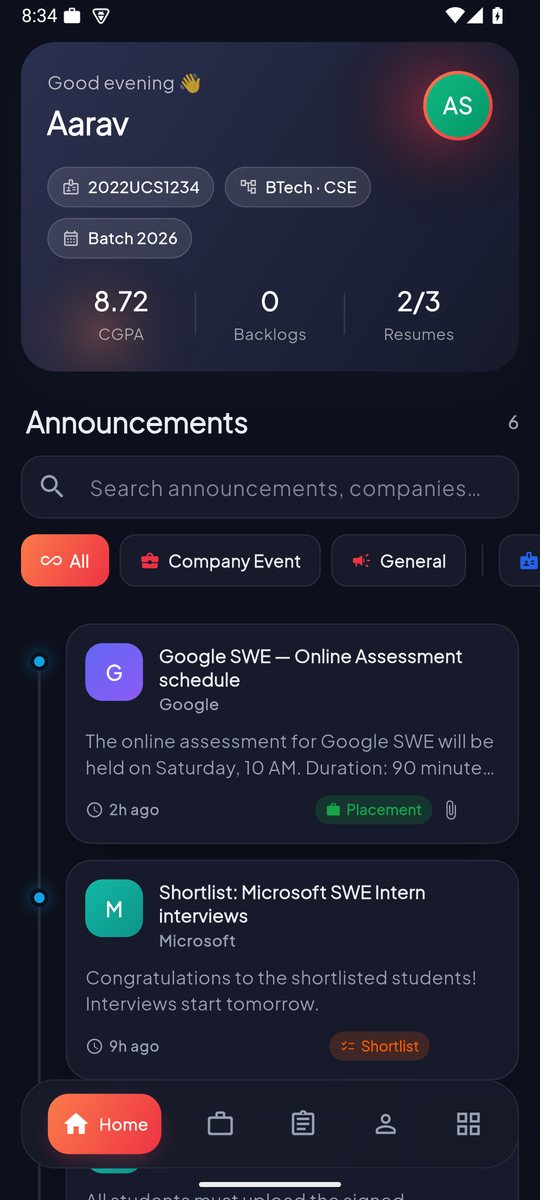
Shortlists, schedules and notices in a clean timeline with search, tags and attachments that open right inside the app.
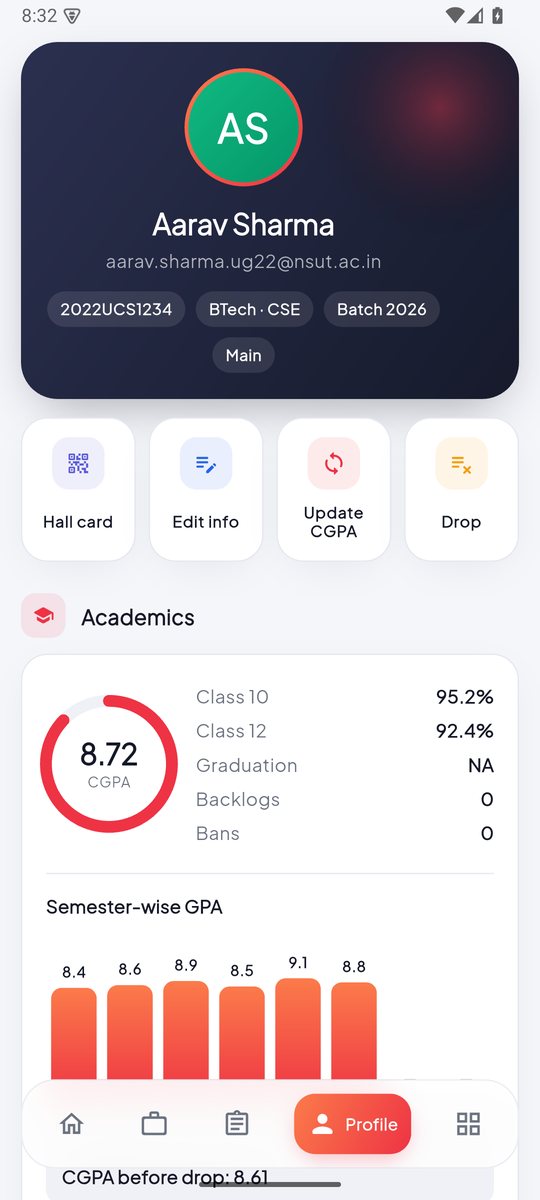
Semester-wise GPA chart, sync CGPA from IMS, and a drop-subject planner that suggests the best courses to drop.
Keep up to three resumes, upload undertakings, request NOCs and track their status — all from your phone.
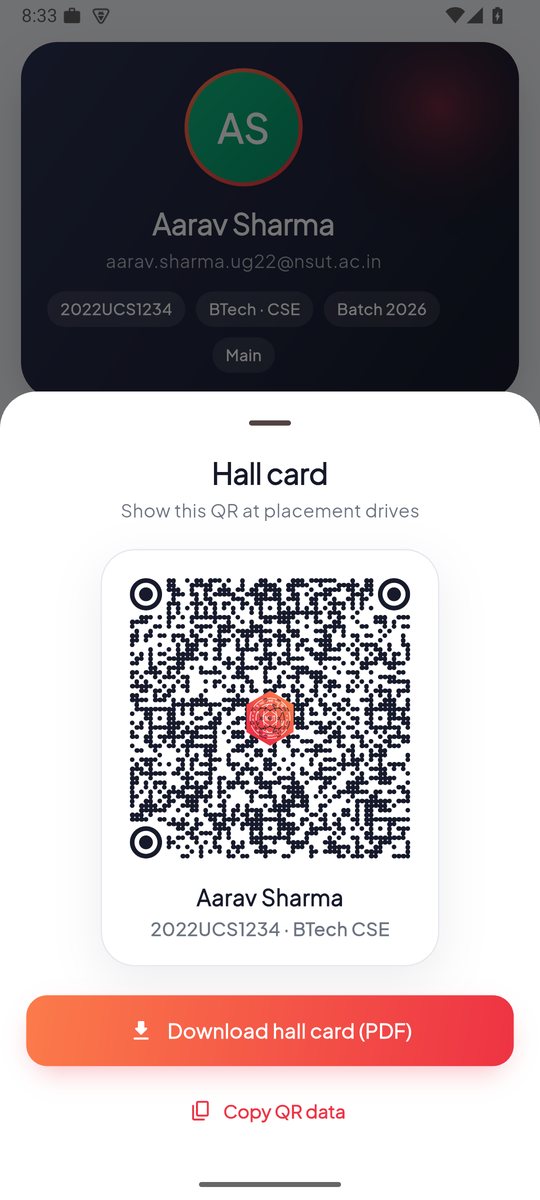
Your QR hall card always ready, plus a one-tap PDF download for placement drives.
Alerts that actually arrive
The app wakes up every 15 minutes — even when it's closed and your phone is asleep — checks the portal for anything new, and rings with its own chime so you know it's a company, not just another app.
Screens
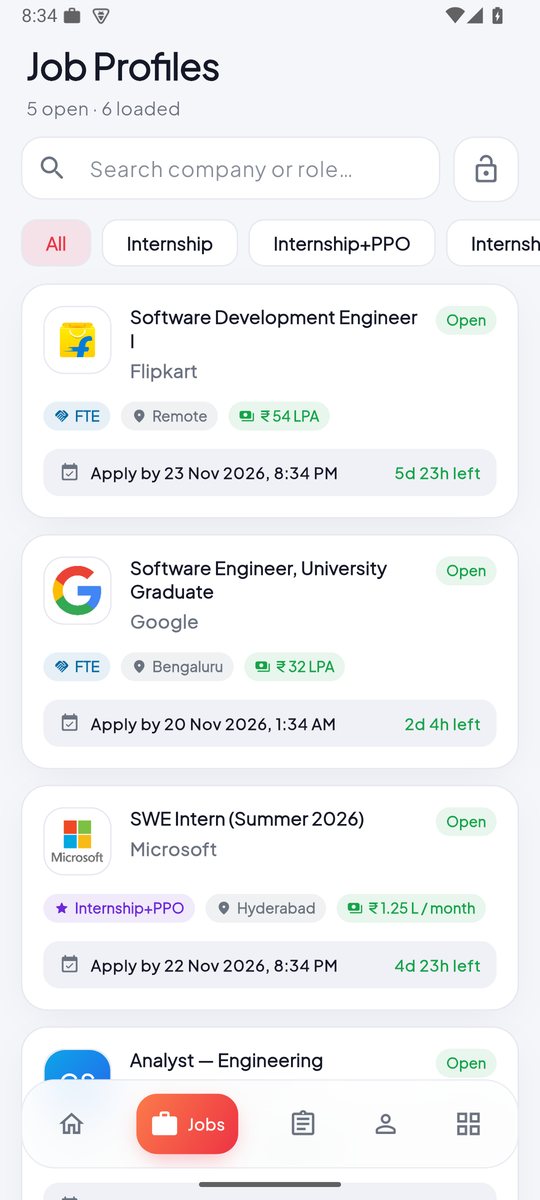
Light and dark themes, smooth animations, and everything one tap away. Shown with sample data.
Install
It's an APK, so it installs directly — no Play Store needed.
Tap the button below on your Android phone. The file is about 70 MB.
Open the downloaded file. If Android asks, allow your browser to install unknown apps, then tap Install.
Use your TnP portal email and password, allow notifications and background activity — you're set.

📱 Looks like you're on an iPhone — the app is Android-only for now.
Updates are automatic. When a new version is released, the app notifies you and installs it in a tap — your sign-in stays.
The app talks only to the official TnP portal (api.tnpnsut.in) — the same server the website uses. There is no middleman server, no analytics and no ads. Your sign-in token is stored encrypted on your phone. Every line of code is public on GitHub, so anyone can check.
FAQ
No. TnP Student is an unofficial, open-source app built by a student. It uses your existing TnP portal account and the same portal as student.tnpnsut.in, so everything you do in the app is visible on the website too.
Your email and password are sent directly to the official TnP server over HTTPS — never to anyone else. The source code is public, so you (or a friend) can verify exactly what it does.
It's distributed as a free APK from GitHub to keep it simple and open. Android will ask you to allow installing it once; after that, updates arrive inside the app.
Your phone is saving battery by pausing the app. Open More → Notifications and tap the background-checks row, then allow background activity. On Xiaomi, Redmi, Poco, Oppo, Realme, Vivo and OnePlus phones also turn on Autostart for TnP Student.
The app checks for new versions on its own. When one is out you'll get a notification; tap Update now and Android installs it over the old version, keeping your sign-in.
Not yet — the app is Android-only for now.
TnP accounts are created by the university for eligible students (usually from the second year). Once you have one, sign in with your college email.
Install TnP Student and let the chime do the checking.
Download for AndroidLatest version · free